
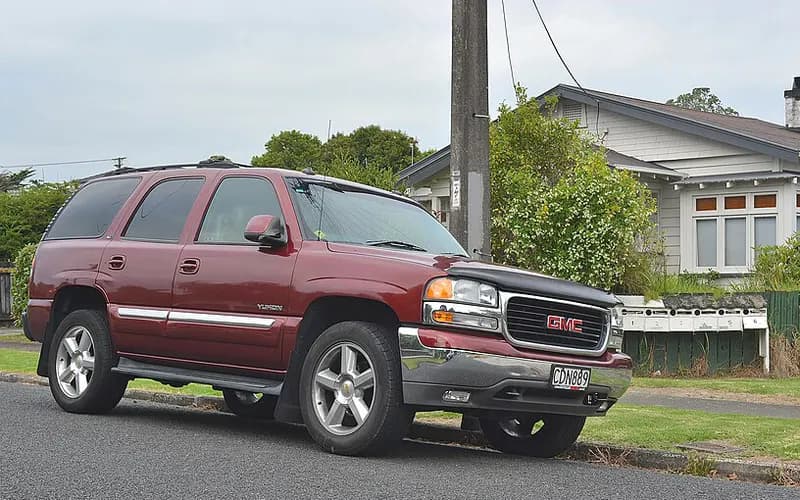
Electrical, wiring and powerModel years 2004–2005Manufacturer
CD slow to play, CHECK CD error, CD stuck or clock resets to 12:00 (reprogram the radio, do not replace it)
The article covers 2005 models with the CD player radio (RPOs UB0 or UB1), among them GMC Yukon, Yukon XL and Denali; the Fix It Right row (04-08-44-020A) is worded by class: 2004-2005 Midsize and Fullsize Pickups and Utilities.
FaultCrate・CD slow to play, CHECK CD error, CD stuck or clock resets to 12:00 (reprogram the radio, do not replace it)
On radios with a CD player (RPO UB0 or UB1), customers may report a long CD load-to-play time, the CD ejecting with CHECK CD, the clock resetting to 12:00, or the CD stuck, not playing or not ejecting without any clicking noise or mechanical operation. A software anomaly within the radio has been found, and GM says to reprogram the radio rather than replace it.
How to decide
Reprogram the radio with the updated software calibration
Watch out
Do not replace the radio for these conditions
Labor time
0.4 hr (labor operation R0125, Radio -- Reprogram)
Check2
- The complaint is one of: long CD load-to-play time; the CD ejects with a CHECK CD error message; the CD does not return to the previous track after an ignition cycle; the clock resets to 12:00; the CD is stuck in the player, won't play or won't eject, without any clicking noise or mechanical operation.GM TechLink
- This is for radios with a CD player (RPO UB0 or UB1). The April 2005 TechLink article lists 2005 models; the Fix It Right table of October 2005 gives 2004-2005 midsize and fullsize pickups and utilities.GM TechLink
Decide2
Reprogram the radio with an updated software calibration, released with TIS satellite data update version 2.0, available February 7, 2005.GM TechLink
- GM's Fix It Right table (October 2005 TechLink) likewise says to load the new software calibration and not to exchange or replace the radio (reference 04-08-44-020A).GM TechLink
Steps
None of the documents at hand gives the manufacturer's procedure.
Cautions and risks3
- Do not replace the radio for these conditions.GM TechLink
- Before reprogramming, be sure the Tech 2 is updated with the latest software version.GM TechLink
- Advise the customer that home-burned CDs must be burned with a "closed session" or the player will not read them, and that CDs should not have adhesive paper labels, because the labels may lift off in the player.GM TechLink
What it needs
- Tools
- A Tech 2 updated with the latest software, and the radio calibration released with TIS satellite data update version 2.0GM TechLink
- Time
- Labor operation R0125 (Radio -- Reprogram), 0.4 hr; this number is not published in the Labor Time Guide.GM TechLink
Only what the documents and the pages read state; what is not listed is not thereby not needed.
Applies to
- The information applies to 2005 models with the CD player radio (RPOs UB0 or UB1), among them the 2005 GMC Envoy, Envoy XL, Envoy XUV, Savana, Sierra, Yukon, Yukon XL and Denali.
- Row for 2004-2005 Midsize and Fullsize Pickups and Utilities: CD issues.
See the evidence (2 documents, 11 passages)
| Document | Publisher | Date |
|---|---|---|
| [1]GM TechLink, April 2005 ↗ | ManufacturerGeneral Motors | 2005-04-01 |
| [2]GM TechLink, October 2005 ↗ | ManufacturerGeneral Motors | 2005-10-01 |
Applies toThe information applies to 2005 models with the CD player radio (RPOs UB0 or UB1), among them the 2005 GMC Envoy, Envoy XL, Envoy XUV, Savana, Sierra, Yukon, Yukon XL and Denali.
This information applies to 2005 Buick Rainier, 2005 Cadillac Escalade, Escalade ESV, Escalade EXT, 2005 Chevrolet Avalanche, Express, Silverado, Suburban, Tahoe, TrailBlazer, TrailBlazer EXT, 2005 GMC Envoy, Envoy XL, Envoy XUV, Savana, Sierra, Yukon, Yukon XL, Denali, 2005 HUMMER H2 with CD Player Radio (RPOs UB0 or UB1).— [1]
Applies toRow for 2004-2005 Midsize and Fullsize Pickups and Utilities: CD issues.
2004-2005 Midsize and Fullsize Pickups and Utilities – CD Issues— [2]
First signsCustomers may comment on a long CD load-to-play time, the CD ejecting with a CHECK CD error message, or the CD not returning to the previous track after an ignition cycle.
- Long CD load-to-play time - CD ejects with an error message of CHECK CD - CD does not return to previous track after an ignition cycle— [1]
First signsThe clock may reset to 12:00, or a CD may be stuck, not play or not eject, with no clicking noise or mechanical operation.
- The clock resets to 12:00. - CD stuck in player, CD won’t play, or won’t eject without any indication of clicking noises and/or mechanical operation.— [1]
Why it happensA software anomaly within the radio has been found.
A software anomaly within the radio has been found.— [1]
How to confirmBe sure the Tech 2 is updated with the latest software version.
TIP: Be sure your Tech 2 is updated with the latest software version.— [1]
RepairReprogram the radio with the updated software calibration, released with TIS satellite data update version 2.0, available February 7, 2005.
Reprogram the radio with an updated software calibration. This new service calibration was released with TIS satellite data update version 2.0 available February 7, 2005.— [1]
RepairLoad the new software calibration.
Load new software calibration.— [2]
CautionDo not replace the radio for these conditions.
DO NOT replace the radio for these conditions.— [1]
CautionAdvise the customer that home-burned CDs must be burned with a "closed session" or the player will not read them, and that CDs should not carry adhesive paper labels, which may lift off in the player.
TIP: Advise the customer that home-burned CDs must be burned with a "closed session" or the formatting will be incomplete and the player will not read the CD. CDs should not have adhesive paper labels affixed to them, because the labels may lift off in the player.— [1]
CautionDo not exchange or replace the radio; the reference is bulletin 04-08-44-020A.
Don’t exchange or replace the radio. 04-08-44-020A— [2]
Put together by FaultCrate from public records and technical documents. The cause and the repair are for the workshop to decide with the vehicle in front of it. Counts are records, not failure rates.
List the records (2 that can be opened)
Records whose recall number, document number or text matches. Each line says why it matched.
- CD issues: load the new software calibration, do not replace the radioManufacturer communication 2005-10-01・document number matches
- CD player faults (slow to play, CHECK CD, CD stuck, clock resets): reprogram the radio, do not replace itManufacturer communication 2005-04-01・document number matches