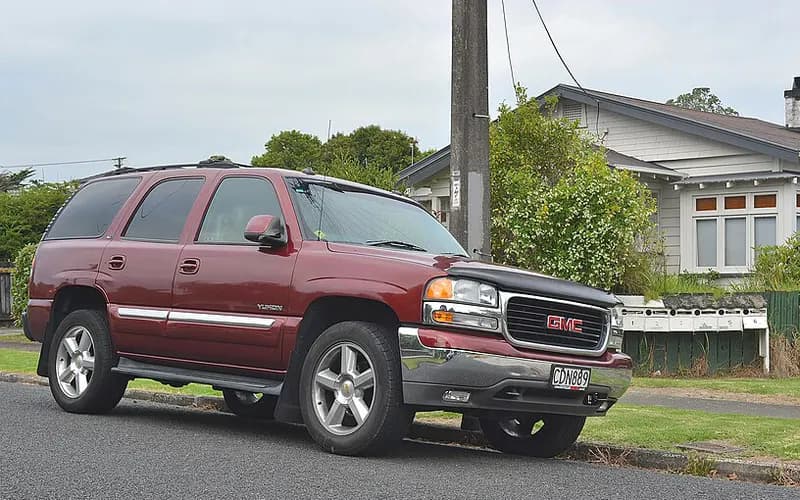
Audio and telematicsModel years 2003–2006Manufacturer
OnStar cannot configure the vehicle (118 error) after the 15-08-44-001 upgrade
PIT5484A lists 2003-2006 GMC Yukon/Yukon XL.
FaultCrate・OnStar cannot configure the vehicle (118 error) after the 15-08-44-001 upgrade
OnStar is unable to configure the vehicle after the OnStar 15-08-44-001 upgrade; OnStar receives a 118 error when attempting to configure the vehicle.
Related symptoms: OnStar unable to download Turn By Turn directions, OnStar Data Services inoperative (remote unlock, flash lights, etc), and long connect times to OnStar.
This occurs because the new module is not connecting to the preferred network.
What to do
- After talking to OnStar through the blue button, leave the vehicle powered up for 10 minutes for the cellular network to update.
- Turn off the vehicle and cancel RAP by opening the driver door.
- Disconnect the vehicle battery, wait for 5 minutes, then reconnect it.
- Press the blue button again to contact an advisor and attempt another configuration.
- If the vehicle is already in a metro area and still has the concern, it may be necessary to drive it 2 Kilometers in each direction of the dealer so the OnStar system can connect to a tower and establish a Packet Data connection.
- If Packet Data still cannot be established, install the OnStar test antenna and retest after letting the vehicle run outside for 5 minutes.
Applies to
- Applies to 2003-2006 GMC Yukon/Yukon XL.
See the evidence (1 documents, 10 passages)
| Document | Publisher | Date |
|---|---|---|
| [1]PIT5484A 118 Error When Attempting To Configure OnStar, Use TBT, Or Other Data Services After 15-08-44-001 Upgrade ↗ | ManufacturerGeneral Motors | — |
Applies toApplies to 2003-2006 GMC Yukon/Yukon XL.
2003-2006 GMC Yukon/Yukon XL— [1]
First signsOnStar is unable to configure the vehicle after the OnStar 15-08-44-001 upgrade; OnStar receives a 118 error when attempting to configure the vehicle.
Dealers may report that OnStar is unable to configure the vehicle after the OnStar 15-08-44-001 upgrade. OnStar receives a 118 error when attempting to configure the vehicle.— [1]
First signsRelated symptoms: OnStar unable to download Turn By Turn directions, OnStar Data Services inoperative (remote unlock, flash lights, etc), and long connect times to OnStar.
OnStar unable to Download Turn By Turn directions • OnStar Data Services inoperative (remote unlock, flash lights, etc) • Long connect times when attempting to connect to OnStar— [1]
Why it happensThis occurs because the new module is not connecting to the preferred network.
This occurs because the new module is not connecting to the preferred network.— [1]
RepairAfter talking to OnStar through the blue button, leave the vehicle powered up for 10 minutes for the cellular network to update.
After talking to OnStar through the blue button, leave the vehicle powered up for 10 minutes for the cellular network to update.— [1]
RepairTurn off the vehicle and cancel RAP by opening the driver door.
Turn off the vehicle. 3. Cancel RAP (open the driver door).— [1]
RepairDisconnect the vehicle battery, wait for 5 minutes, then reconnect it.
Disconnect the vehicle battery. 5. Wait for 5 minutes. 6. Reconnect the vehicle battery.— [1]
RepairPress the blue button again to contact an advisor and attempt another configuration.
Press the blue button again to contact an advisor and attempt another configuration.— [1]
RepairIf the vehicle is already in a metro area and still has the concern, it may be necessary to drive it 2 Kilometers in each direction of the dealer so the OnStar system can connect to a tower and establish a Packet Data connection.
If the vehicle is already in a metro area and exhibits this concern, it may be necessary to drive the vehicle 2 Kilometers in each direction of the dealer to allow the OnStar system to connect to a tower and establish a Packet Data connection.— [1]
RepairIf Packet Data still cannot be established, install the OnStar test antenna and retest after letting the vehicle run outside for 5 minutes.
If packet Data still cannot be established, install the OnStar test antenna and retest operation after letting the vehicle run outside for 5 minutes.— [1]
Put together by FaultCrate from public records and technical documents. The cause and the repair are for the workshop to decide with the vehicle in front of it. Counts are records, not failure rates.
List the records (2 that can be opened)
Records whose recall number, document number or text matches. Each line says why it matched.
- OnStar Configuration Error 118 After UpgradeManufacturer communication 2017-08-15・text contains "118 error"
- OnStar Error Code 118 After UpgradeManufacturer communication 2017-08-15・document number matches